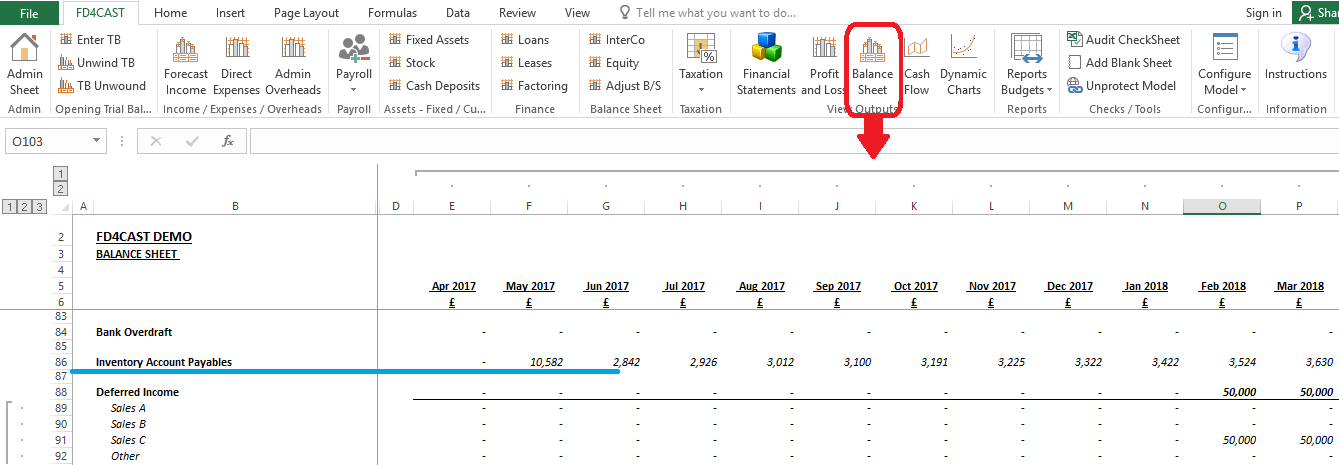
Stock section allows the user to plan inventory levels in accordance with the monthly income stream and supply chain requirements.
Users can access the inventory module by clicking on ‘Stock’ button under the ‘Assets – Fixed / Current’ group. At the top of the screen all the revenue streams are automatically imported into this section. This information simplifies planning of stock levels in line with incomes of the corresponding period.
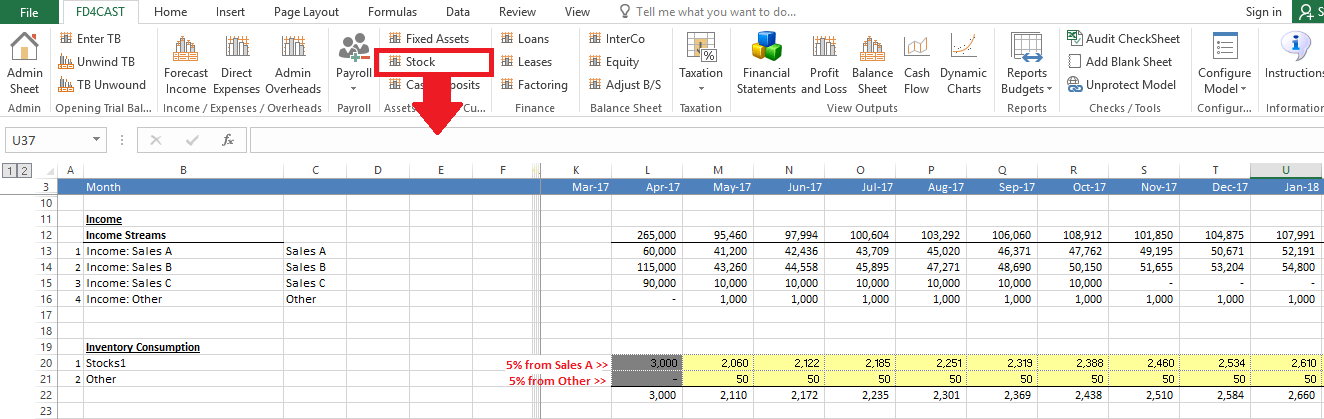
In our example below, we have two types of stock: Stocks1 & Other. Let’s assume that £2,060 worth of Stocks1 is used to generate £41,200 of sales A income and £50 worth of stock is necessary to generate £1,000 of Other income in the month of May-17. In order to add other inventory types to the list, please review Section 1.4.2: Add / Remove Category Rows.
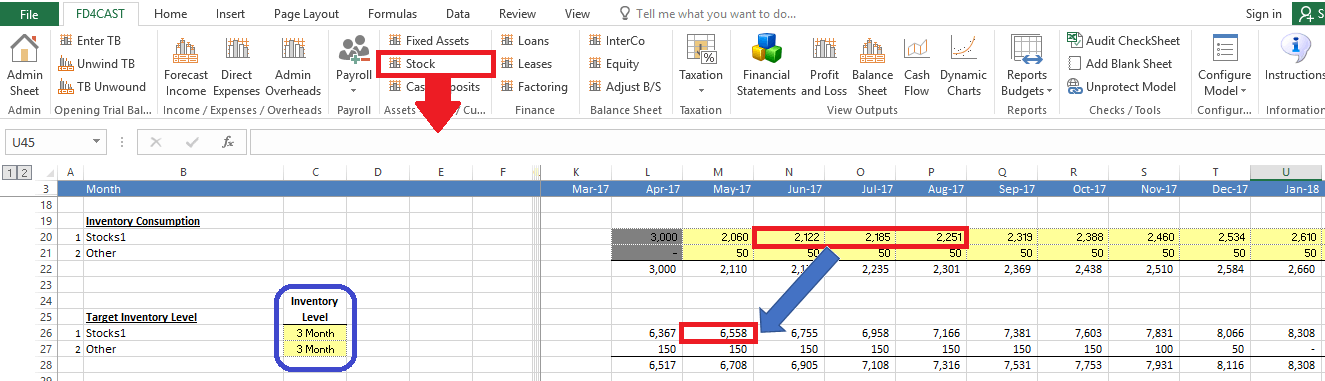
On the left hand side, under the target Inventory Level we can insert a number of months. In our example below we plan to hold 3 months’ worth of stock at each period end.
In the Target Inventory Level Section below, model automatically calculates how much stock we need to purchase in each period in order to keep them at planned levels.
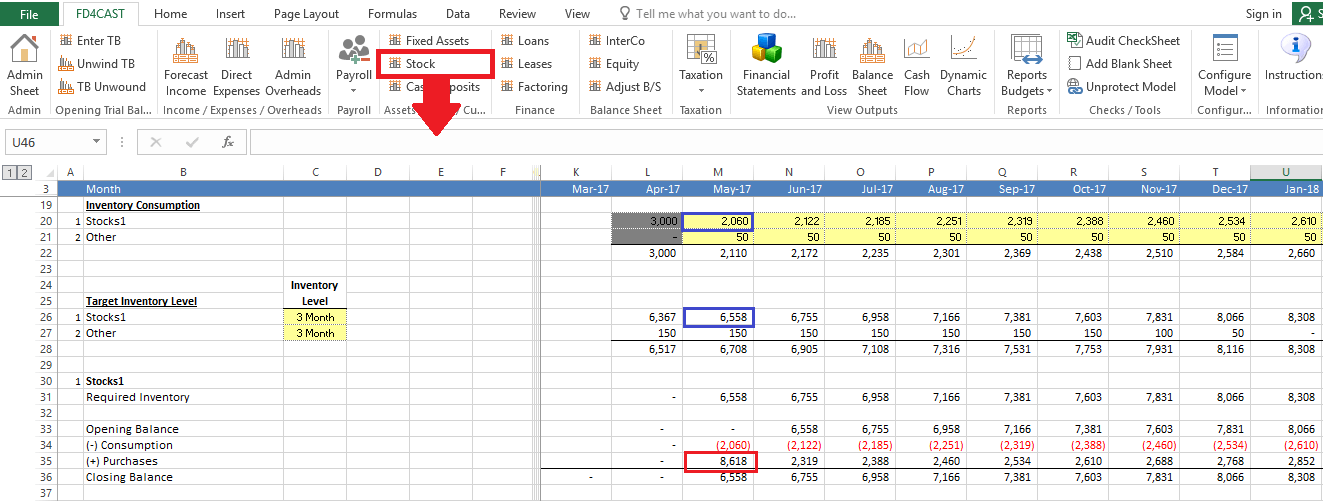
E.g. in the month of May-17, we have target inventory level in the amount of £6,558 and consumption need of £2,060. With no beginning inventory, model tells us that we need to purchase £8,618 worth of stock during the given period in order to maintain targeted stock level.
We can select an applicable VAT rate on purchases for each type of stock by using the drop down list next to ‘Purchases (Including VAT)’ section. VAT rates can be managed from Section 6.1 VAT & Currency Assumptions.
In our example below, £10,342 is the gross value of purchases of Stock1 in the month of May-17.
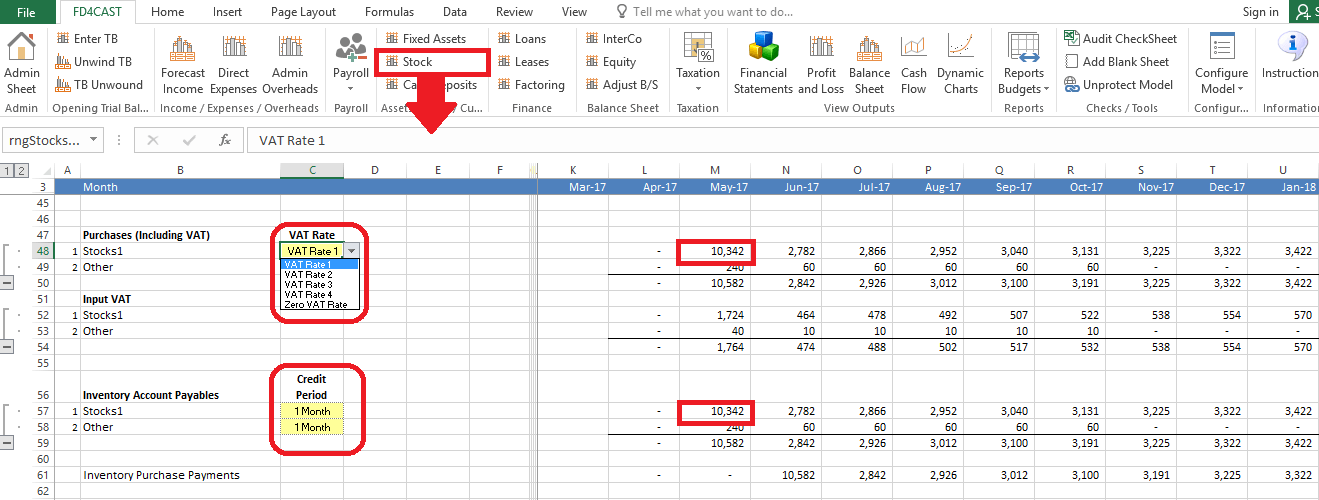
Model allows the user to easily manage the credit terms for each type of stock. We can insert a number under ‘Credit Period’ heading to indicate the number of months by which we can delay the payments for the purchases made in each period. E.g. payment for £10,342 worth of stock purchased in May-17 will be made with one month’s delay as indicated by us in yellow cells under the heading ‘Credit Period’. Therefore, this amount will appear on our Balance Sheet as part of Inventory Account Payables at the end of May.