
Model has a built in functionality for detecting errors throughout the model.
This functionality can be accessed from Check / Tools group > Audit CheckSheet.
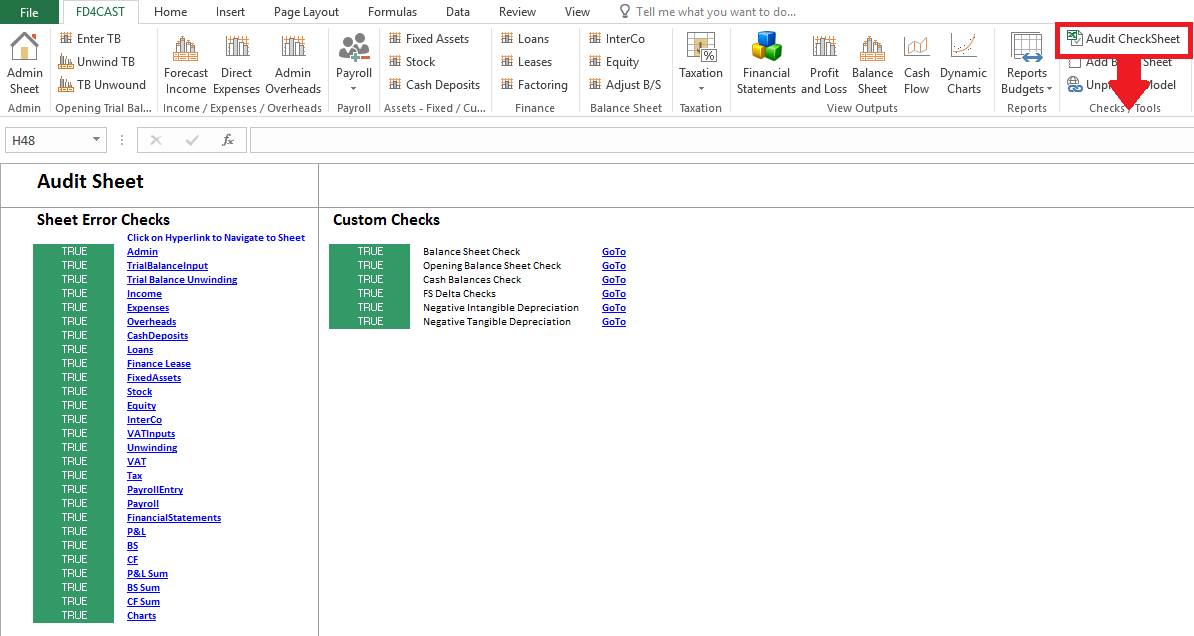
On the left hand side, we have listed all the worksheets that are in the model. Next to each worksheet title TRUE indicates that there have been no errors detected.
On the right hand side, we have Custom checks. For example, Balance Sheet Check calculates the difference between Net Assets and Equity. If the result is zero, there haven’t been any errors detected in the model and we see TRUE next to the check.
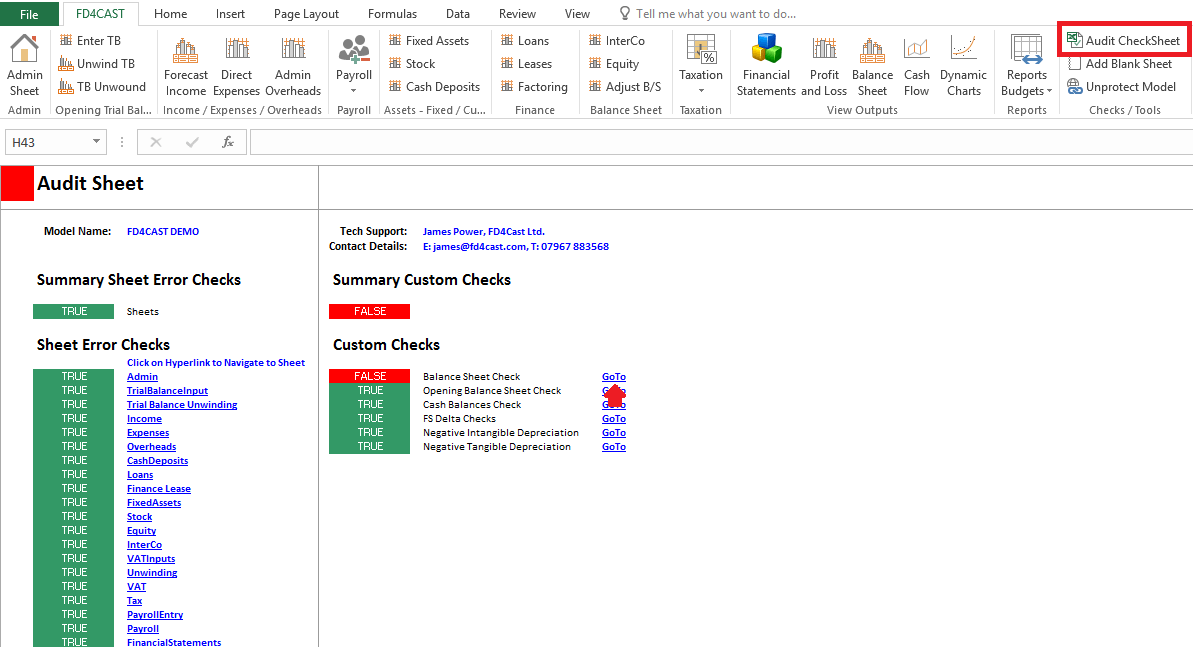
If there is an error in the model, we will see FALSE next to the corresponding section. We will also see Top left cell’s fill color change to red in all sections throughout the model. User can investigate the error by clicking on a hyperlink next to the section in question.