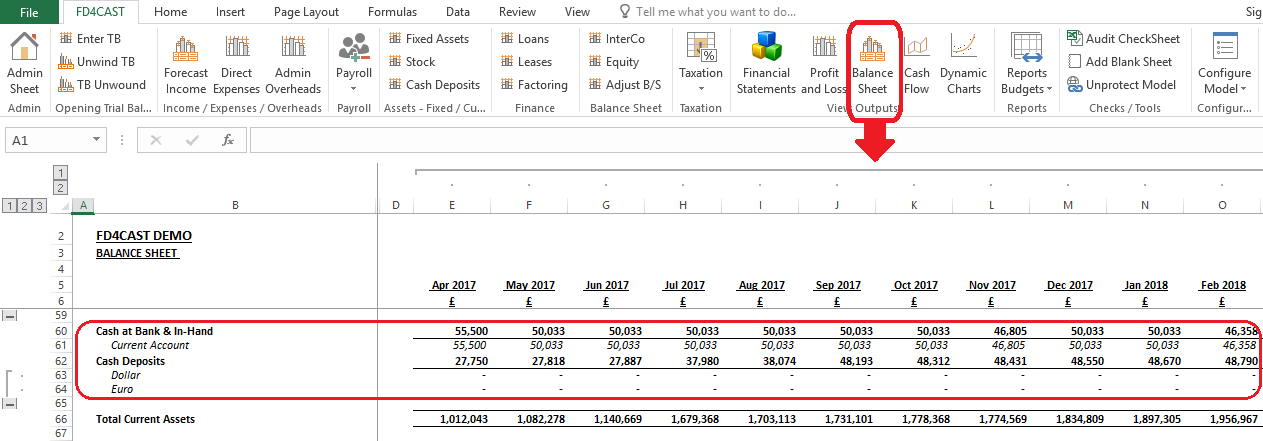
Cash deposits section under Assets group is a very important part of the model as it incorporates information from almost all other sections.
At the top of the page you can see the summary of current account turnover. Beginning cash balance – £50,000 comes from the trial balance input, discussed under Section 2: Inputs Balance. The rest of the information comes from within the Cash Deposits section. Below we will discuss each item separately.
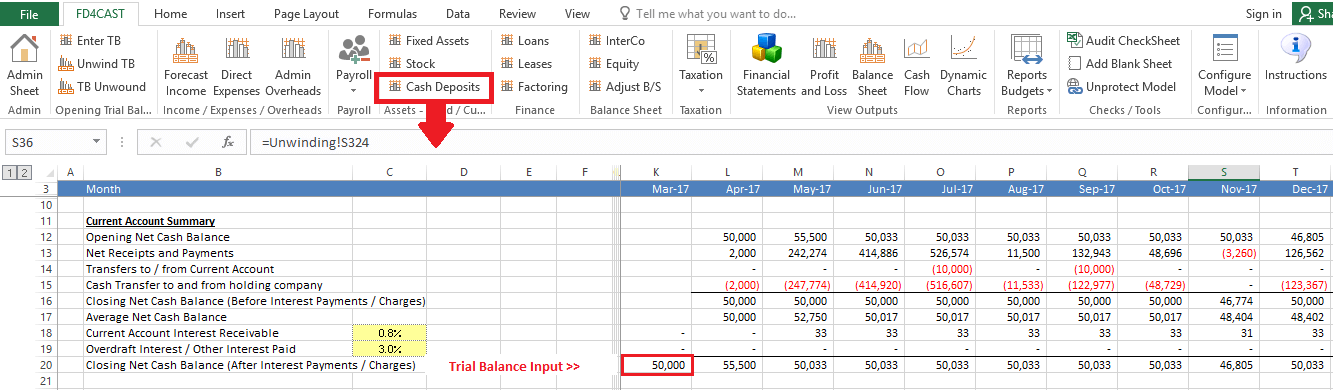
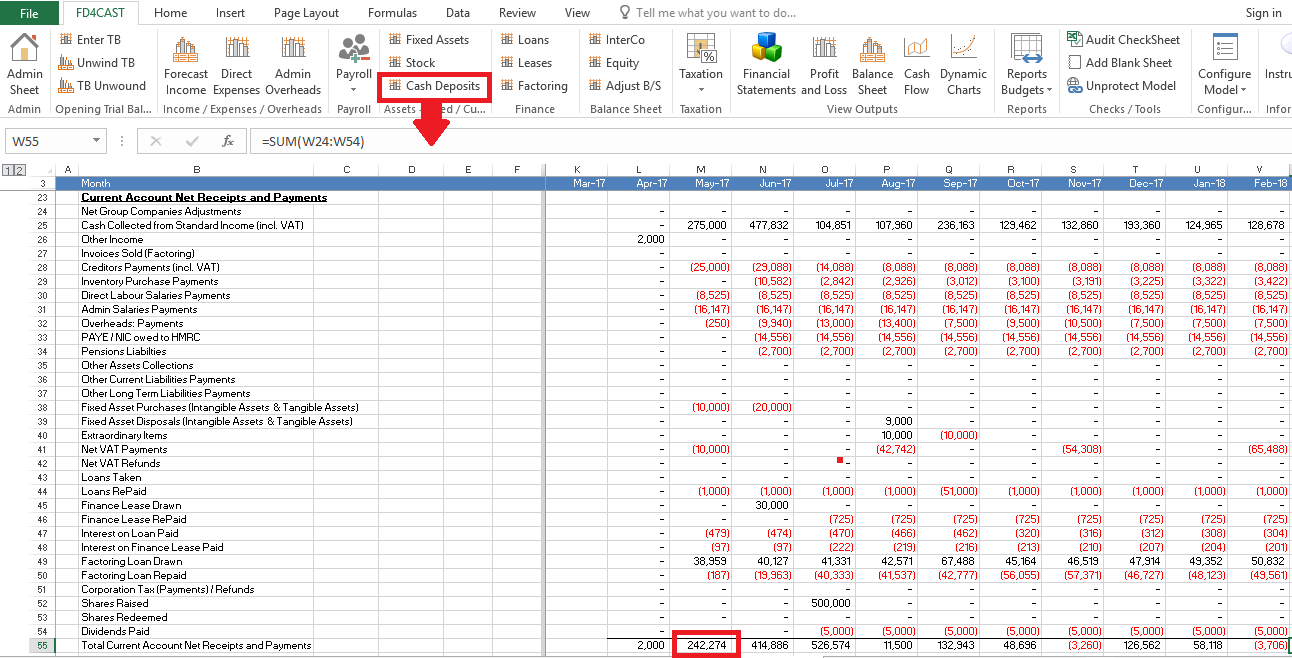
On the Net receipts and payments row you can see the difference between cash inflows and outflows on current account from almost all business transactions. The details for this line item can be reviewed in section, ‘Current Account Net Receipts and Payments’. It is linked to cash receipts/payments section of almost all other items in the model.
As an example, you can see that net inflow of £242,274 in May-17 consists of cash collections from standard income minus all the cash outflows of the month, including payments for inventory purchases, wages & fixed assets.
‘Transfers to / from current account’ shows cash movement between current account and the deposits. This information is manually entered in the Cash Deposits section below.
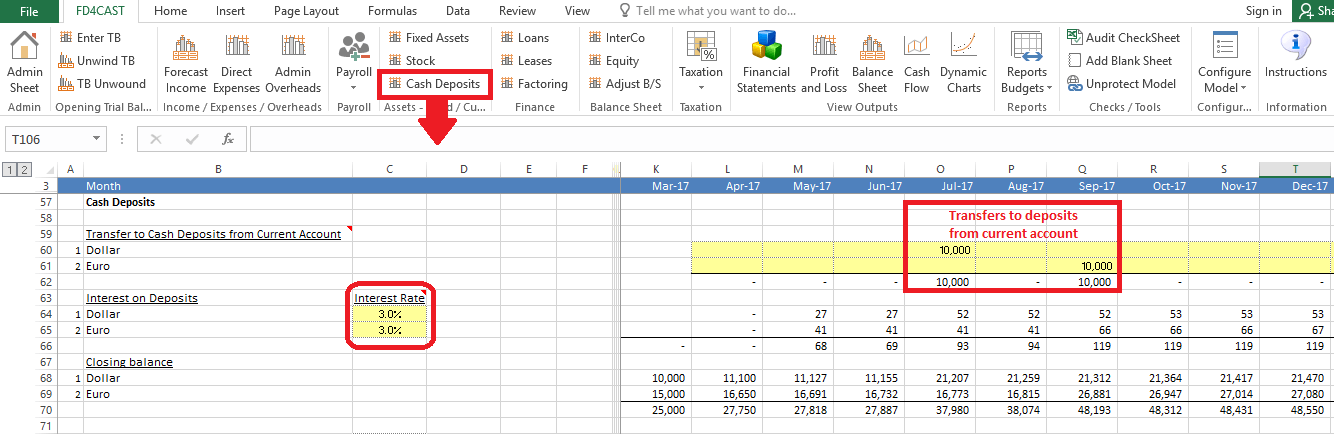
In our example, we have two deposits that earn 3% annual interest on a monthly basis. Interest rates on deposits can be modified by changing yellow cells under the heading ‘Interest Rate’.
Let’s assume that we added £10,000 to the Dollar deposit in July and £10,000 to the Euro deposit in September. Transfers to the deposits are entered as positive figures. Keep in mind that in this section we show GBP value of each deposit account irrespective of their original currency.
Deposits can be added to or removed from the list from the Admin Sheet, section ‘Cash Accounts’. Please, review 1.4.2 Add / Remove Category Rows for detailed instructions.
Transfers of cash to and from the holding company are managed through the special section below.
If our company is not part of the holding company or does not engage in cash transfers with the holding company, we can select ‘FALSE’ from the drown down list next to ‘Transfer to and from Holding Company’.
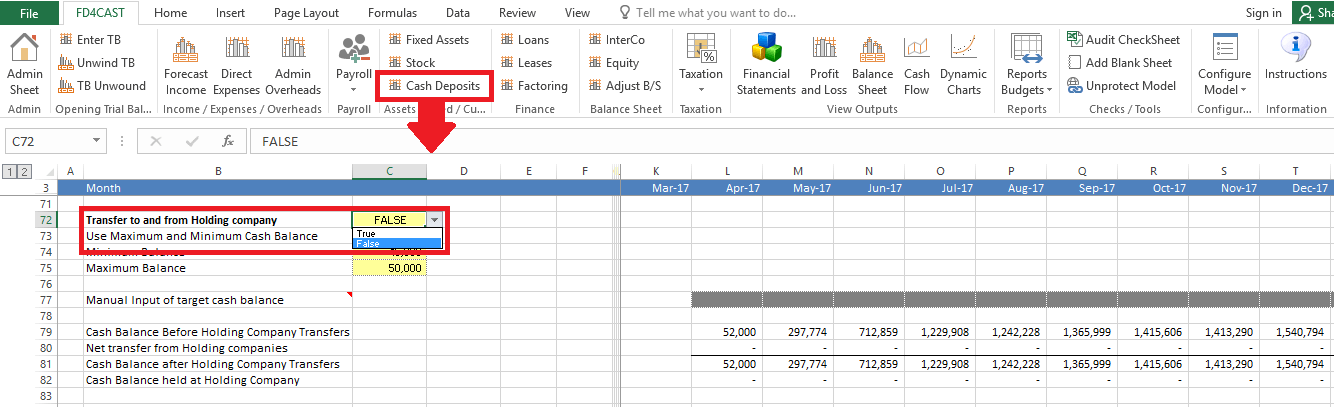
In order to activate manual input section for target cash balance for current account, we should select ‘FALSE’ from the drop down list next to ‘Use Maximum and Minimum Cash Balance’:
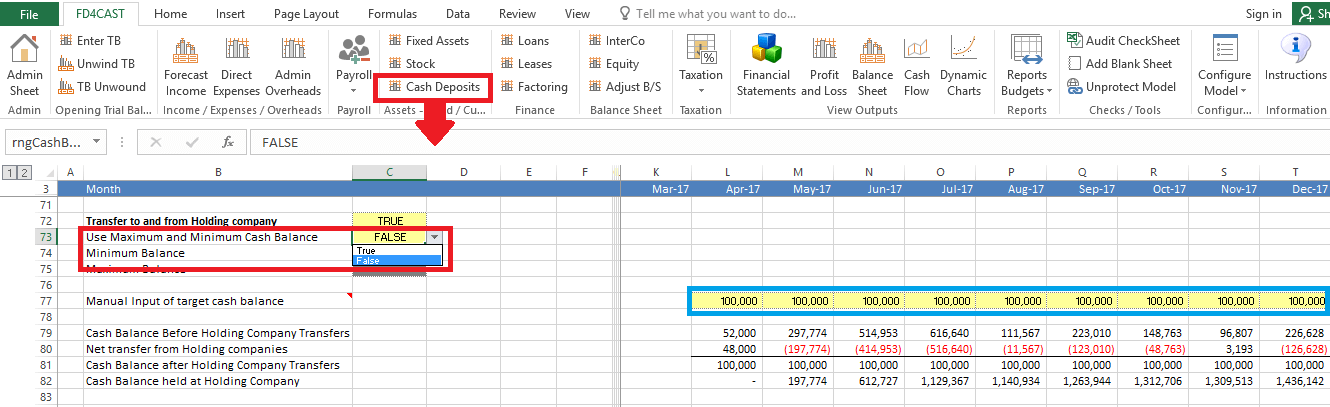
After we select ‘False’, cells next to ‘Manual input of target cash balance’ become active. In our example above, monthly target cash balance for our company is £100,000. The difference between current cash balance and the above amount will be transferred to the holding company. E.g. cash balance at the end of May before holding company transfers was £297,774. If our target cash level is £100,000, we can transfer the difference – £197,774, to the holding company.
In case our company’s target is to hold cash levels within a specific range, we can select ‘True’ next to ‘Use Maximum and Minimum cash balance’ and indicate lower and upper limits of cash levels in the yellow cells below:
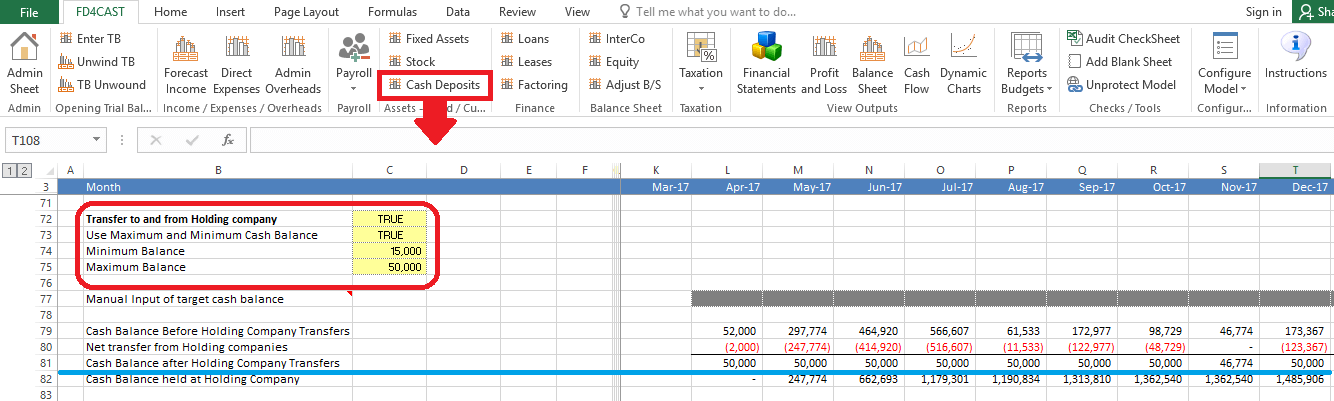
As we can see, we have set the desired cash level on current account between £15,000 and £50,000. Accordingly, the model calculated the amount that we will transfer to/from the holding company to maintain the cash balance between the given range for each period.
We can manage interest receipts on current account balances or interest payments on overdraft by going back to the summary section of current account.
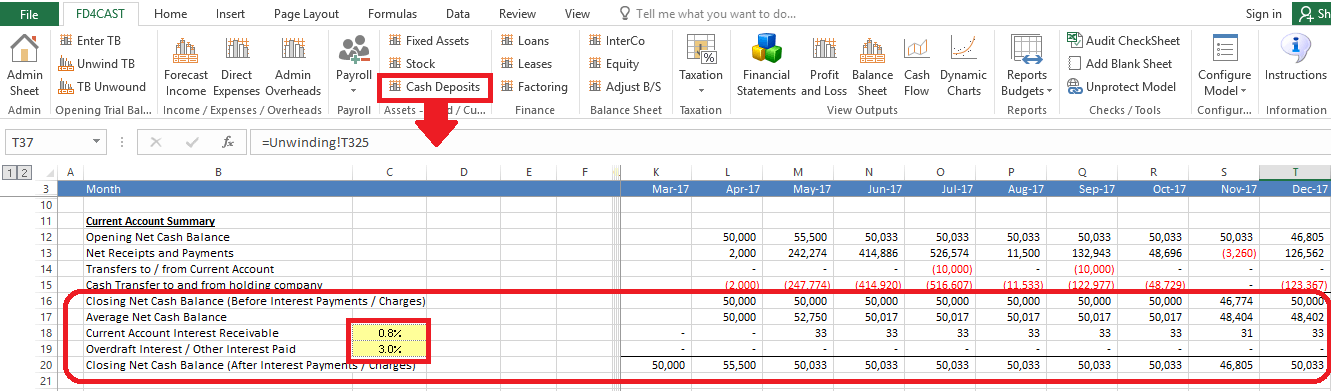
In yellow cells we insert annual interest rates. Model automatically calculates monthly interest income/expense based on closing net cash balance of the previous period.
Current Account and Deposit balances have an impact on the Balance Sheet. They are reported under ‘Cash at bank & in hand’ and ‘Cash Deposits’ respectively.