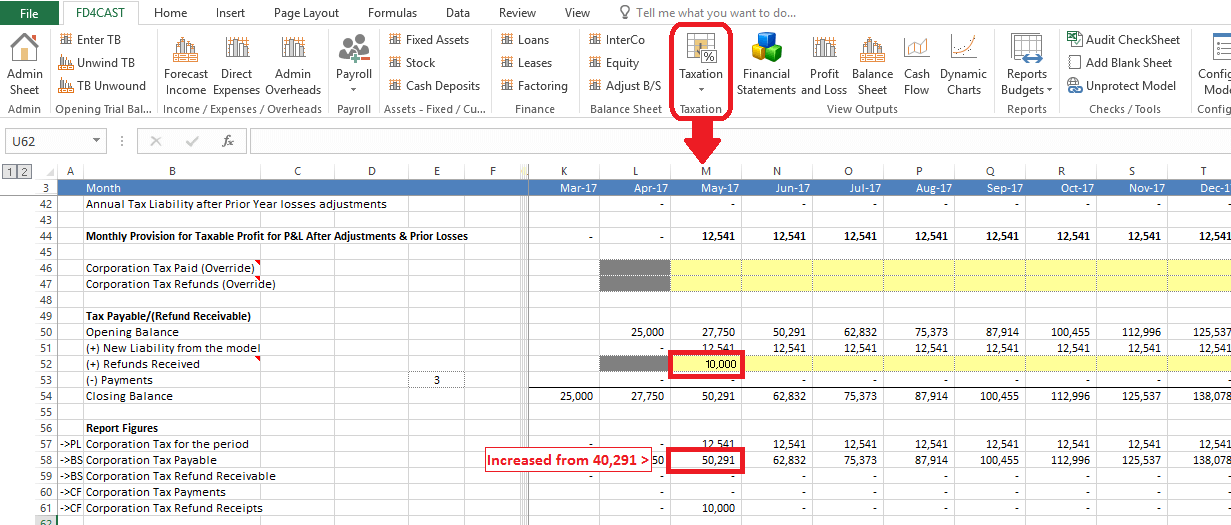
Corporation Tax section from the Taxation group allows the user to plan tax rates for forecasted periods, make adjustments to taxable profits and schedule payments.
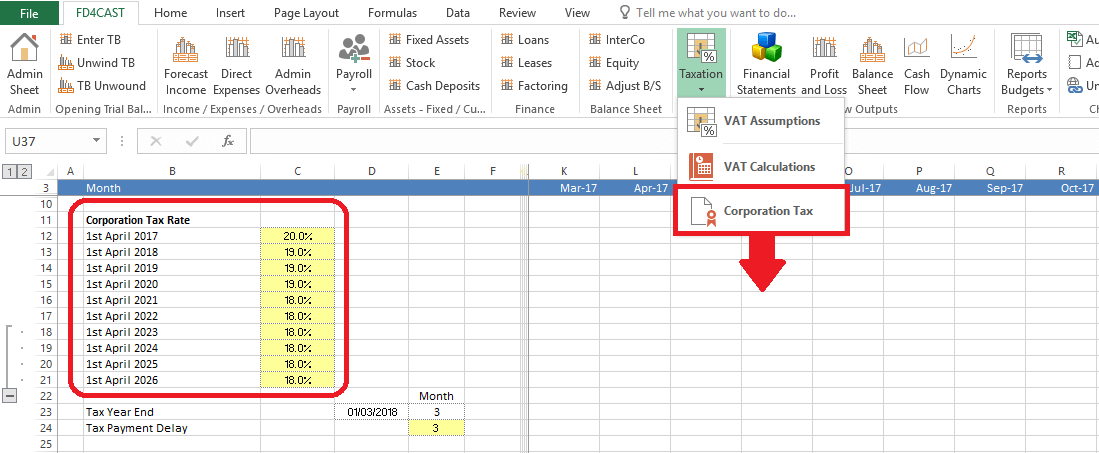
At the top of Corporation Tax section user can assign rates to each forecast period. E.g. For the year ending on April 1st 2017 our forecast for corporation tax rate is 20%.
On the same page, user can enter number of months by which payment of tax expense for the year can be delayed. In our example, number of credit months is three.
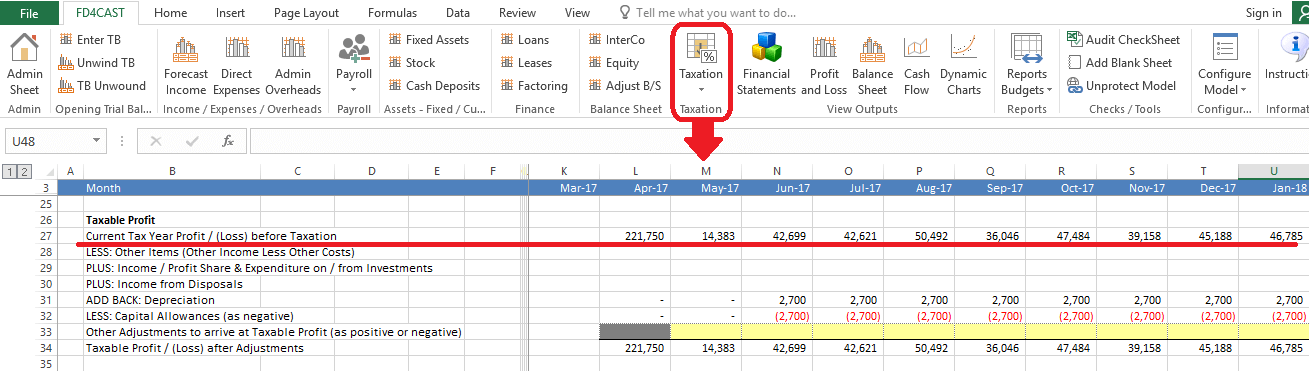
In the Statement of Profit & Loss we could have included some expenses that are not deductible for tax purposes. At the same time, certain types of income may be tax exempt.
In the above section user can adjust profit before tax by adding back non-deductible expenses or subtracting non-taxable income. There are specific lines that can be used for specific items (e.g. Income from Disposals). Yellow cells can be used for any Other adjustments not listed in above lines.
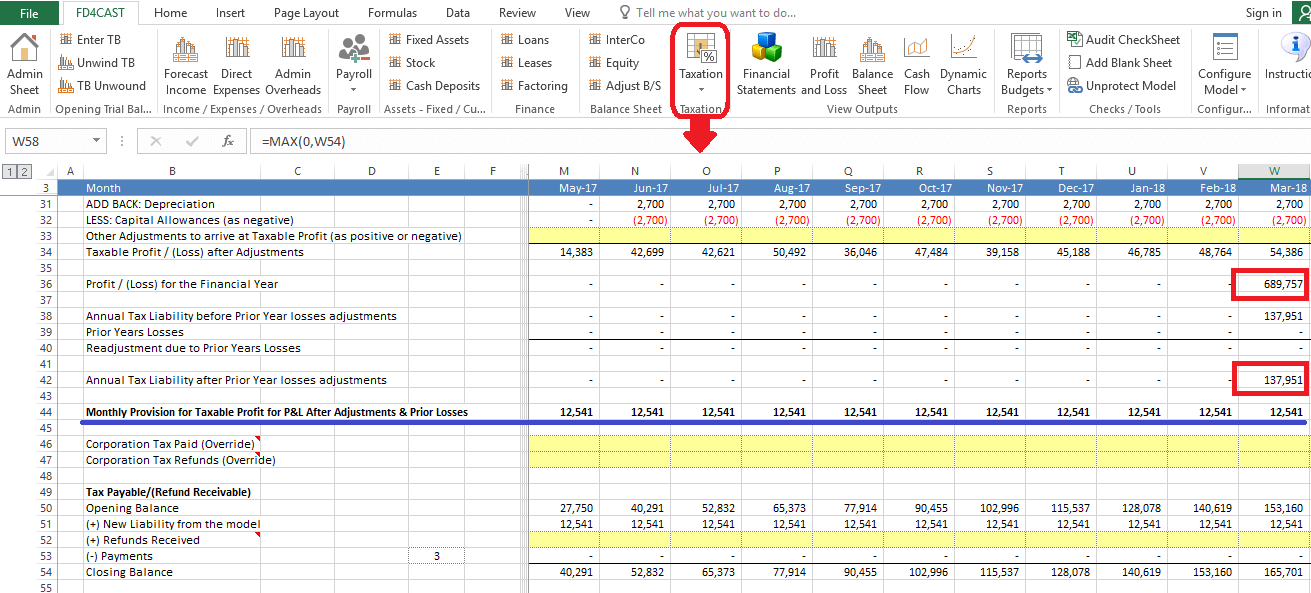
Corporation tax is calculated once a year from the total taxable profit.
In our model, tax expense is divided by the number of forecast months and the result is reported in P&L as tax provision in each period. In the example above our monthly tax provision is £12,541 (tax provision for the year / number of forecast months).
It is possible to adjust corporate tax provision in several different ways:
User can enter early payments towards corporate tax account. This will not change overall tax expense, but will reduce the Corporation Tax liability on the Balance Sheet
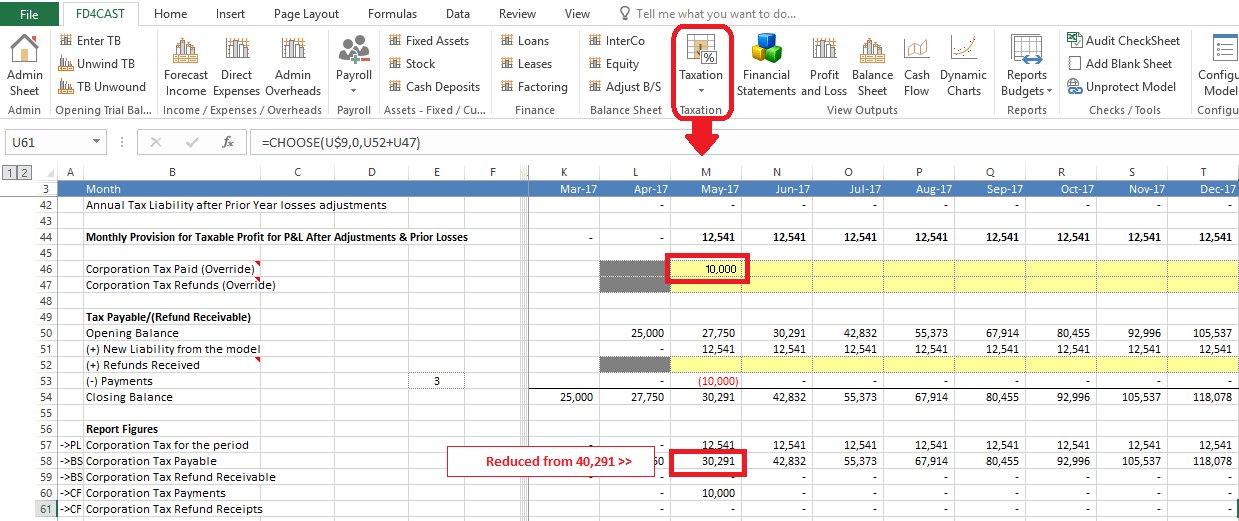
User can adjust tax expense of any period by entering adjusting figure in the line item, ‘Corporate Tax Refunds (Override)’. This will reduce/increase (+/-) company’s cumulative tax expense for the period:
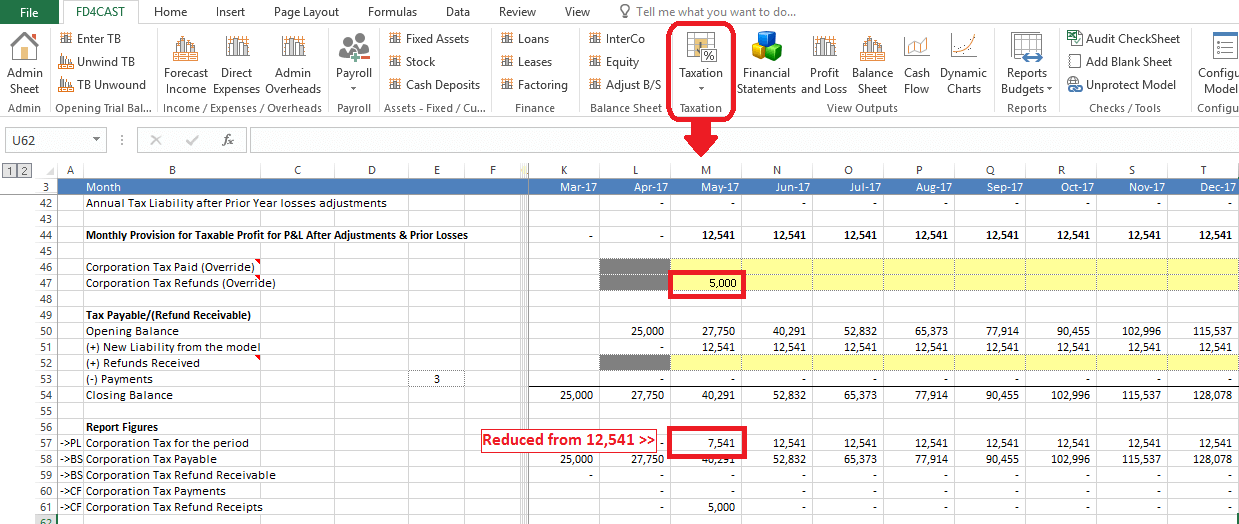
By making the adjustment in ‘Refunds Received’ line item, user can increase tax payable amount without increasing tax provision in P&L: